This tutorial explains how to mass update firmwares of Mercato's controllers using the NetBootloader software tool. This tool can only be used for controllers with an ethernet port.
NetBootloader DOWNLOAD LINK
REQUIREMENTS
- The controllers must be in a ethernet network;
- Must have admin privileges to run the NetBootloader tool.
HOW TO USE NETBOOTLOADER
1. Run the NetBootloader tool as admin (Right click -> Show more options -> Run as administrator on W11).
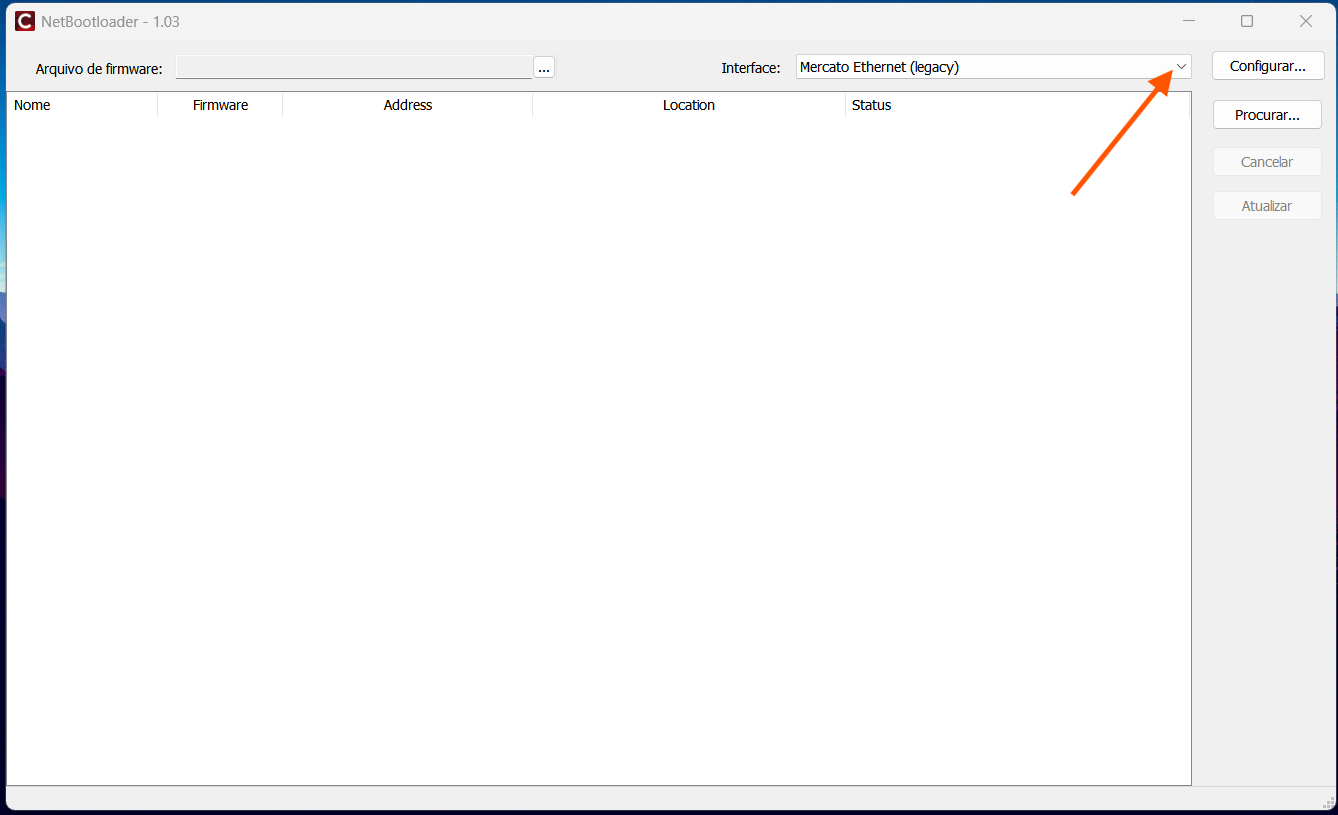
2. Select "Mercato Ethernet (legacy)" interface in the Interface drop down list.
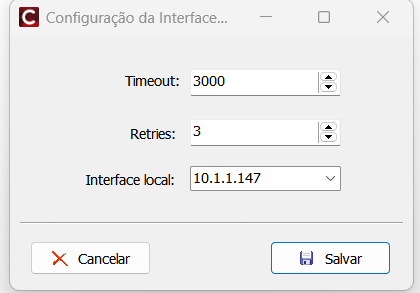
3. Click on "Configurar" and select the local interface from the dropdown menu and hit the floppy disk button. NOTE: Do not manually input the interface.
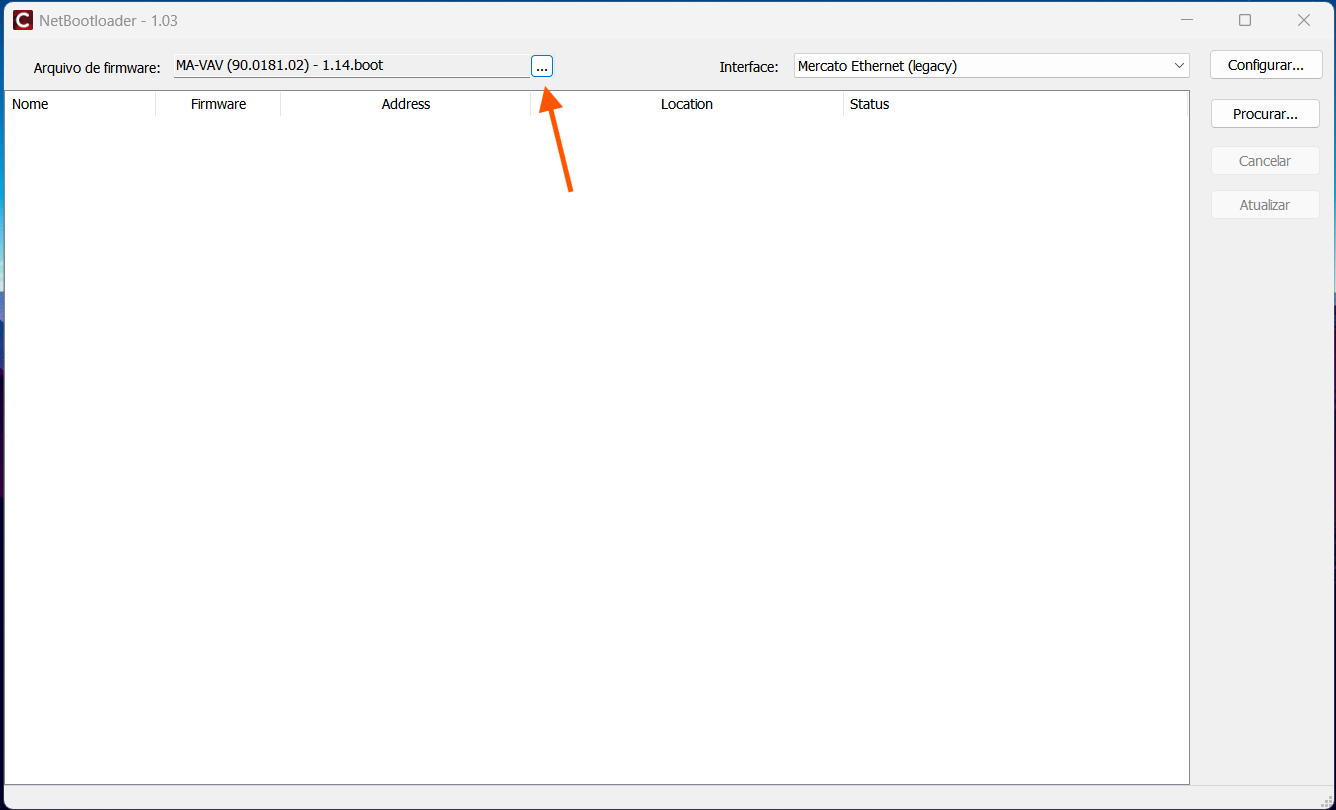
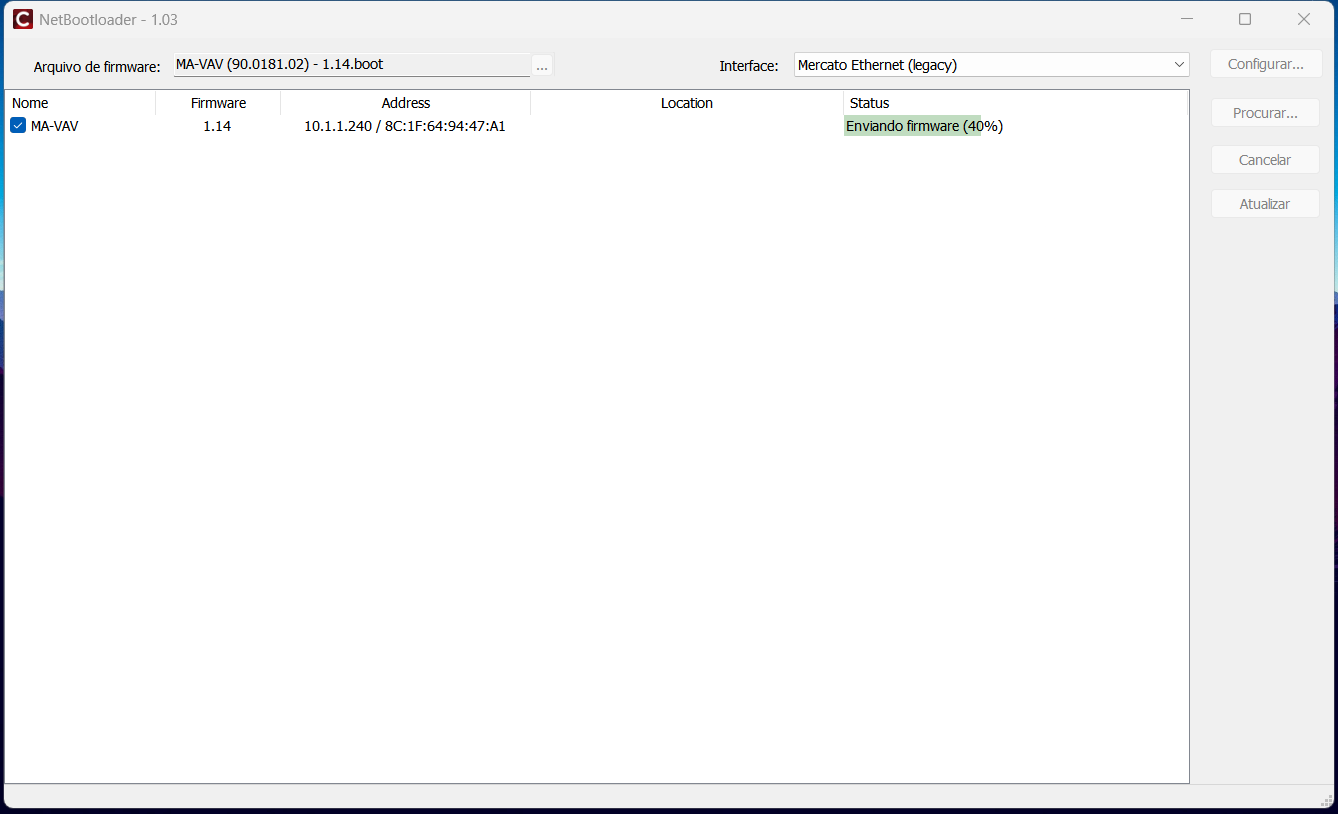
4. Click the [...] and locate the appropriate firmware on your computer.
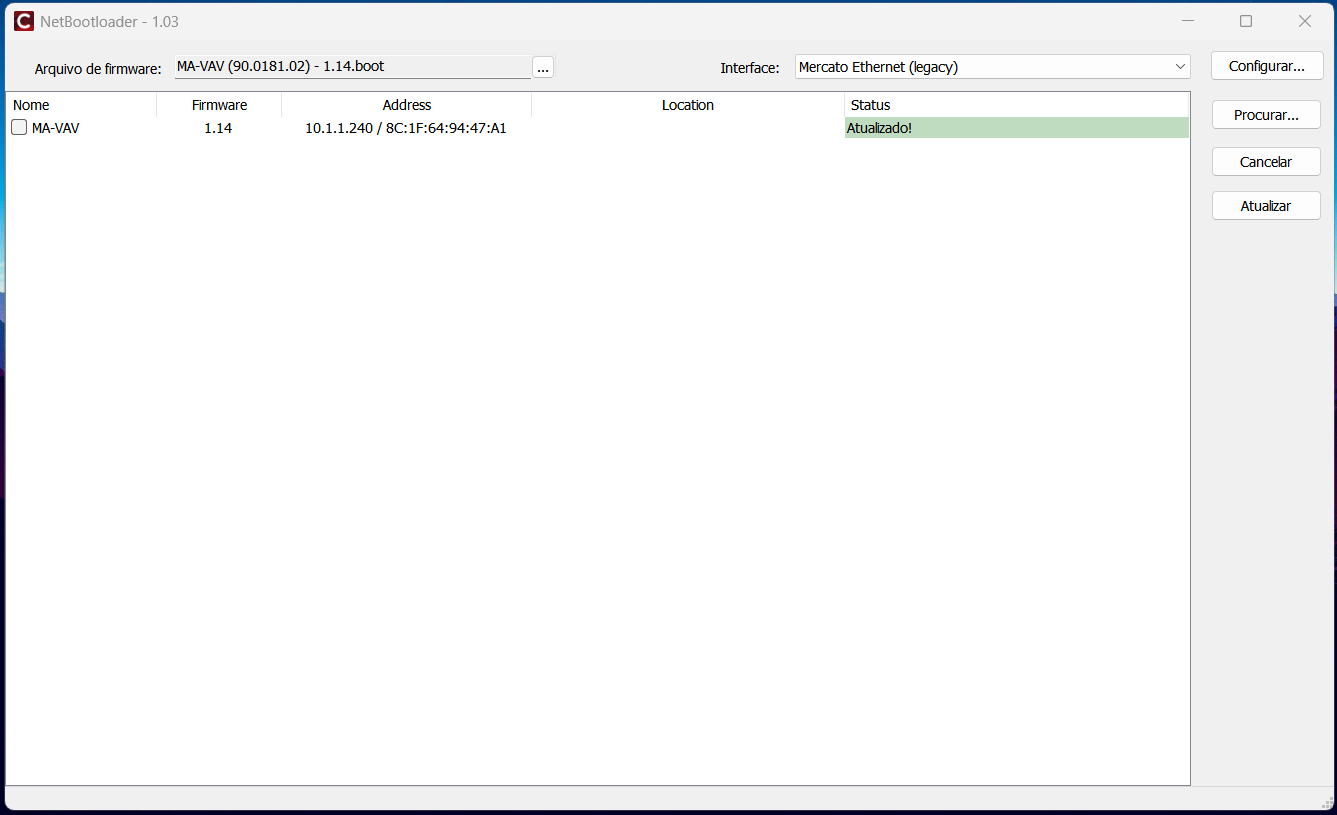
5. Click "Procurar" and mark the checkbox of the controller(s) you wish to update the firmware.
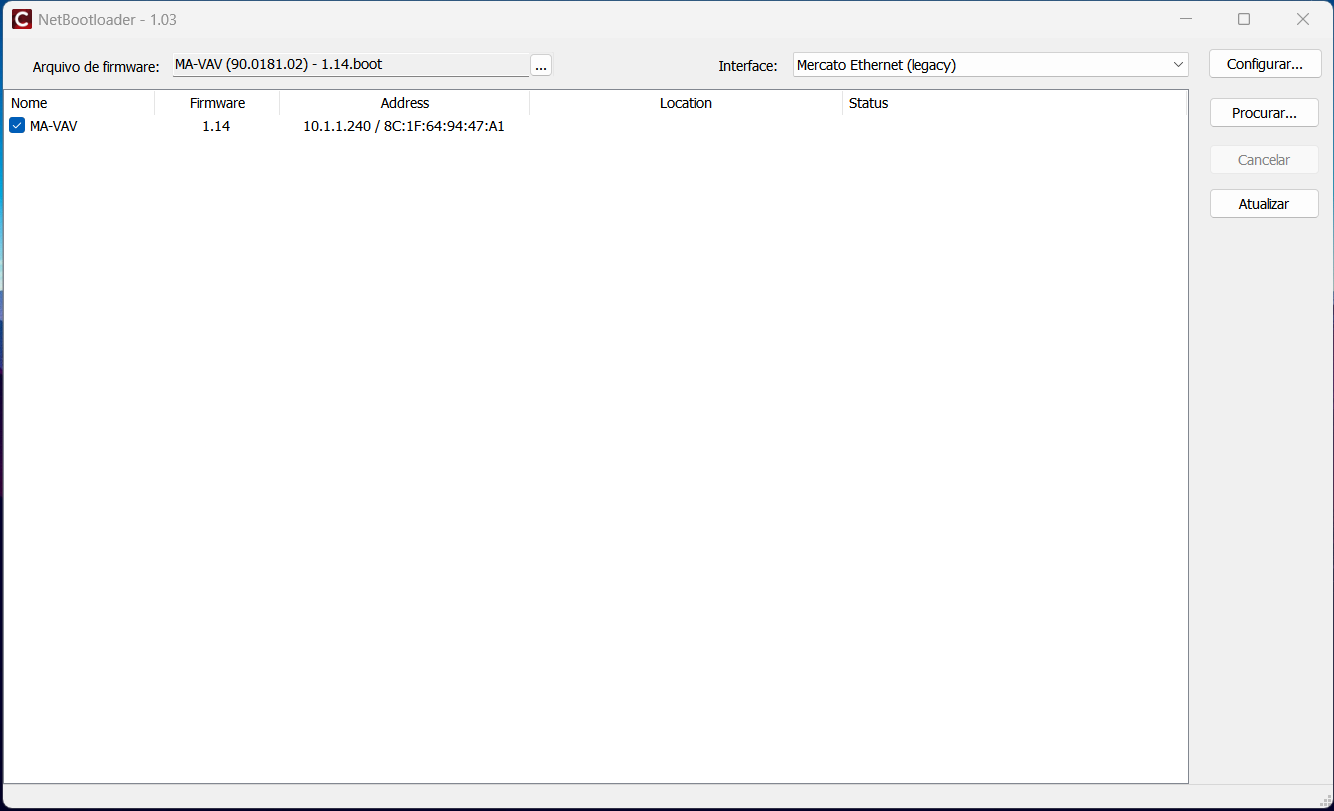
6. Click "Atualizar" and wait for the software to update the firmware(s).
Was this article helpful?
That’s Great!
Thank you for your feedback
Sorry! We couldn't be helpful
Thank you for your feedback
Feedback sent
We appreciate your effort and will try to fix the article